오늘은 Fragment 와 Activity의 차이를 자세하게 살펴보려고 한다.
먼저 Activity는 무엇일까?
1. Activity
안드로이드의 4대 컴포넌트 하나로, 앱의 화면을 말한다. 사용자와 상호작용할 수 있는 UI 라고 할수가 있죠! 액티비티는 XML 파일과 그에 대응하는 kt나 java 파일로 구성되어있다.. 사용자에게 보여지는 화면을 구성할 수 있는 것이다.
Activity는 다음과 같이 분리되어있다.

이렇게 분리하는 이유는 무엇일까??!
일단 관심사를 분리할 수 있다. 그리고 유지 보수와 가독성이 향상되고, 유연하다는 장점이 존재한다.
이제 실습을 통해 알아보자.
예를 들어서 화면을 구성해보았다.
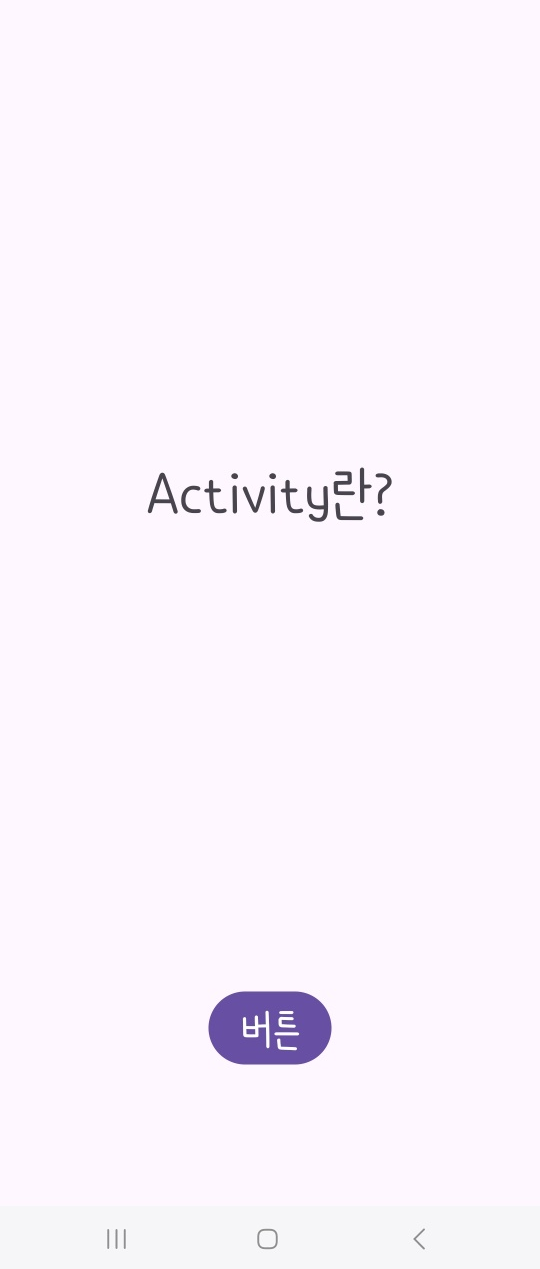
먼저 activity_main.xml을 다음과 같이 구현해보았다.

<?xml version="1.0" encoding="utf-8"?>
<androidx.constraintlayout.widget.ConstraintLayout xmlns:android="http://schemas.android.com/apk/res/android"
    xmlns:app="http://schemas.android.com/apk/res-auto"
    xmlns:tools="http://schemas.android.com/tools"
    android:layout_width="match_parent"
    android:layout_height="match_parent"
    tools:context=".MainActivity">

    <TextView
        android:id="@+id/textView"
        android:layout_width="wrap_content"
        android:layout_height="wrap_content"
        android:text="Activity란?"
        android:textSize="40sp"
        app:layout_constraintBottom_toTopOf="@+id/button"
        app:layout_constraintEnd_toEndOf="parent"
        app:layout_constraintStart_toStartOf="parent"
        app:layout_constraintTop_toTopOf="parent" />

    <Button
        android:id="@+id/button"
        android:layout_width="wrap_content"
        android:layout_height="wrap_content"
        android:layout_marginBottom="104dp"
        android:text="버튼"
        android:textSize="30sp"
        app:layout_constraintBottom_toBottomOf="parent"
        app:layout_constraintEnd_toEndOf="parent"
        app:layout_constraintStart_toStartOf="parent" />

</androidx.constraintlayout.widget.ConstraintLayout>
그리고 MainActivity.kt를 다음과 같이 구현한다.
class MainActivity : AppCompatActivity() {
    override fun onCreate(savedInstanceState: Bundle?) {
        super.onCreate(savedInstanceState)
        setContentView(R.layout.activity_main)

        val button = findViewById<Button>(R.id.button)

        val text = findViewById<TextView>(R.id.textView)

        button.setOnClickListener {
            text.text = "버튼을 눌렀어요."
        }
    }
}
그럼 이제 코틀린 클래스 파일(MainActivity.kt)와 activity_main.xml은 서로 상호작용하는 관계가 된다.
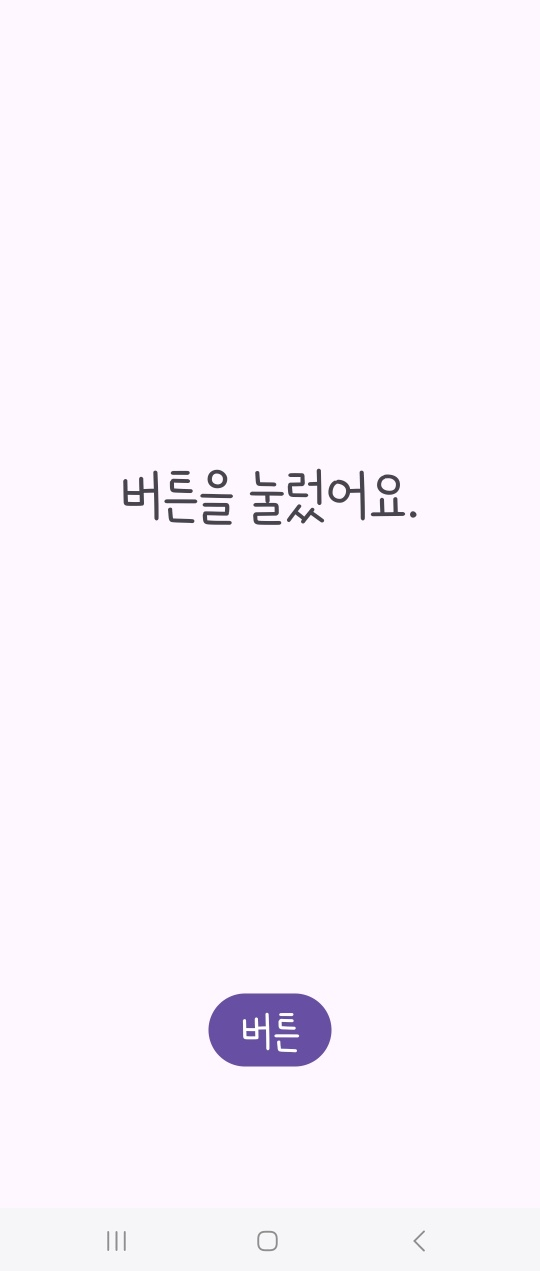
버튼을 클릭하면 "버튼을 눌렀어요."라고 텍스트가 변한다.
이거는 다음과 같이 AndroidManifest.xml 에 등록되어있다.
      <activity
            android:name=".MainActivity"
            android:exported="true">
            <intent-filter>
                <action android:name="android.intent.action.MAIN" />

                <category android:name="android.intent.category.LAUNCHER" />
            </intent-filter>
        </activity>
그럼 다음과 같은 앱이 만들어진다!
끝~!!

'🙋♀️ Android' 카테고리의 다른 글
| [Android] GitHub Actions 을 통한 CI/CD 구축 (0) | 2024.08.20 |
|---|---|
| [Android] 공공 데이터 포털 OPEN API 사용하기 with postman (0) | 2024.08.19 |
| [Android] 네이버 지도 API 연동 (0) | 2024.04.24 |
| [Android] 데이터 바인딩 DataBinding (0) | 2024.04.24 |
| [Android] h5 딥러닝 모델 tflite로 변환하여 안드로이드에 적용 (0) | 2023.05.26 |